
App Overview
TrailBites is a high-precision, localized B2B mobile solution engineered for professionals who require undisputed field-to-site mileage tracking and automated geofence time-auditing. Built on a foundation of absolute data sovereignty and battery efficiency, TrailBites completely eliminates the security risks of third-party cloud data hoarding by keeping 100% of your operational history securely stored on your local device.
Absolute Data Sovereignty & Security
We don't want your data, we don't collect your data, and we don't run a cloud database to leak your sensitive client locations or route history. Your data remains entirely under your physical control. You own the vault, and you decide exactly when and how to export your logs, location history, or timelines via convenient, built-in standard Android file sharing controls.
User-Controlled Privacy Engine
Professional utility should never mean invasive surveillance. TrailBites features a hard hardware-level toggle to completely kill the tracking engine instantly, alongside an automated scheduling matrix. Define your active workdays and precise start/end hours; the moment off-hours hit, background tracking drops to absolute zero. Your personal time stays private, and your battery life stays protected.
Dual Track Alpha and Beta Testing Sign-Up * Now Live * :
The alpha program is for established operations. It is strictly limited to 99 high-intent businesses. Each applicant must be looking to utilize the Business Tier's full suite of features, and must have or be willing to set up back-end services to support scheduled App-to-Server telemetry exports.
The beta program is designed for early adopters, technical users and professionals looking for this type of solution.
The Strings
We only ask that applicants be willing to test and use the app consistently throughout the alpha/beta period, and provide feedback on bugs, feature requests, and usability. We will be actively monitoring feedback to ensure that the app is meeting the needs of our users.
- No Tire-Kickers: We have limited capacity and are strictly filtering for high-intent businesses and individuals invested in our vision of a cloud-free, privacy-first tracking and auditingsolution.
- Direct Influence: Work directly with the engineering team to shape a lean, cloud-free tracking alternative.
- Instant ROI: Built purely for B2B efficiency. By locking down undisputed mileage logs and automated time-auditing, this utility pays for itself by streamlining timesheets, mileage expense reporting, invoicing, and more.
Application Screenshots
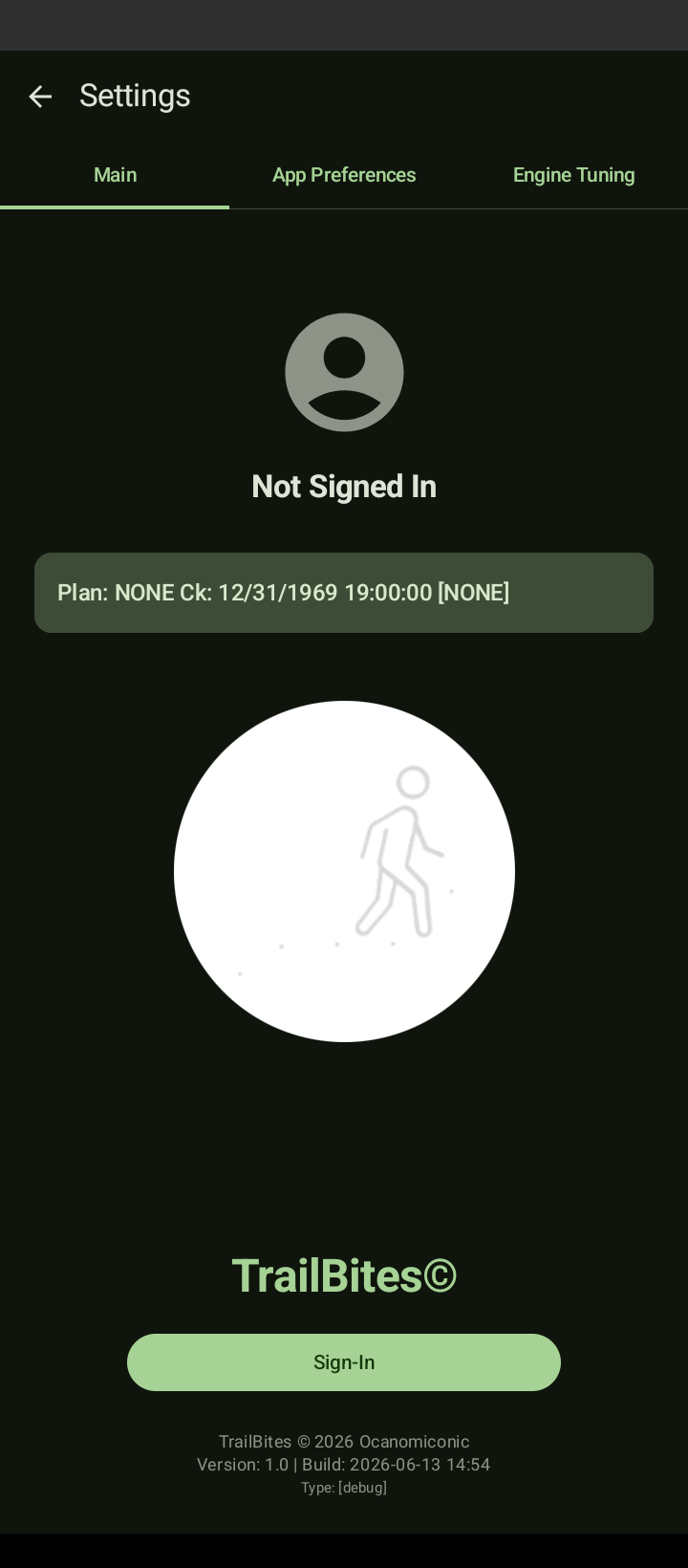
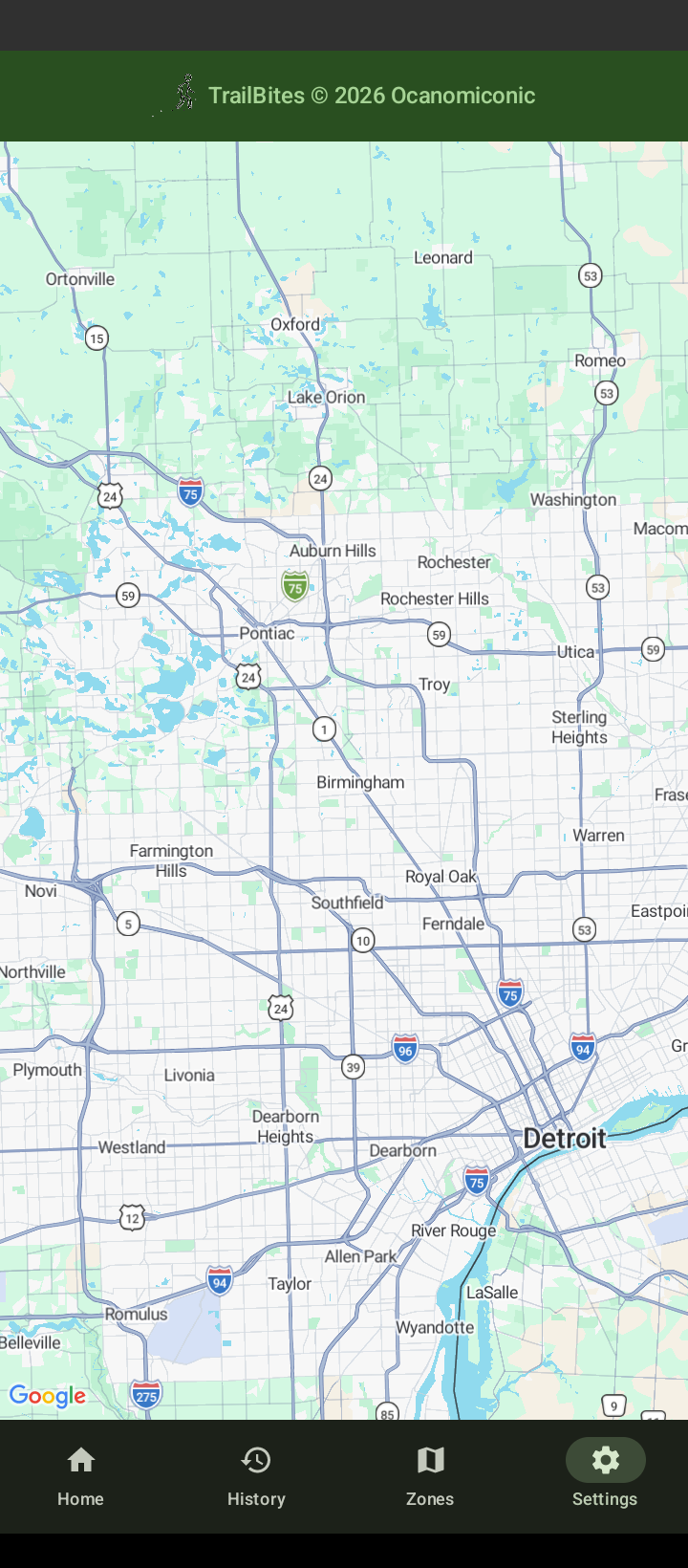
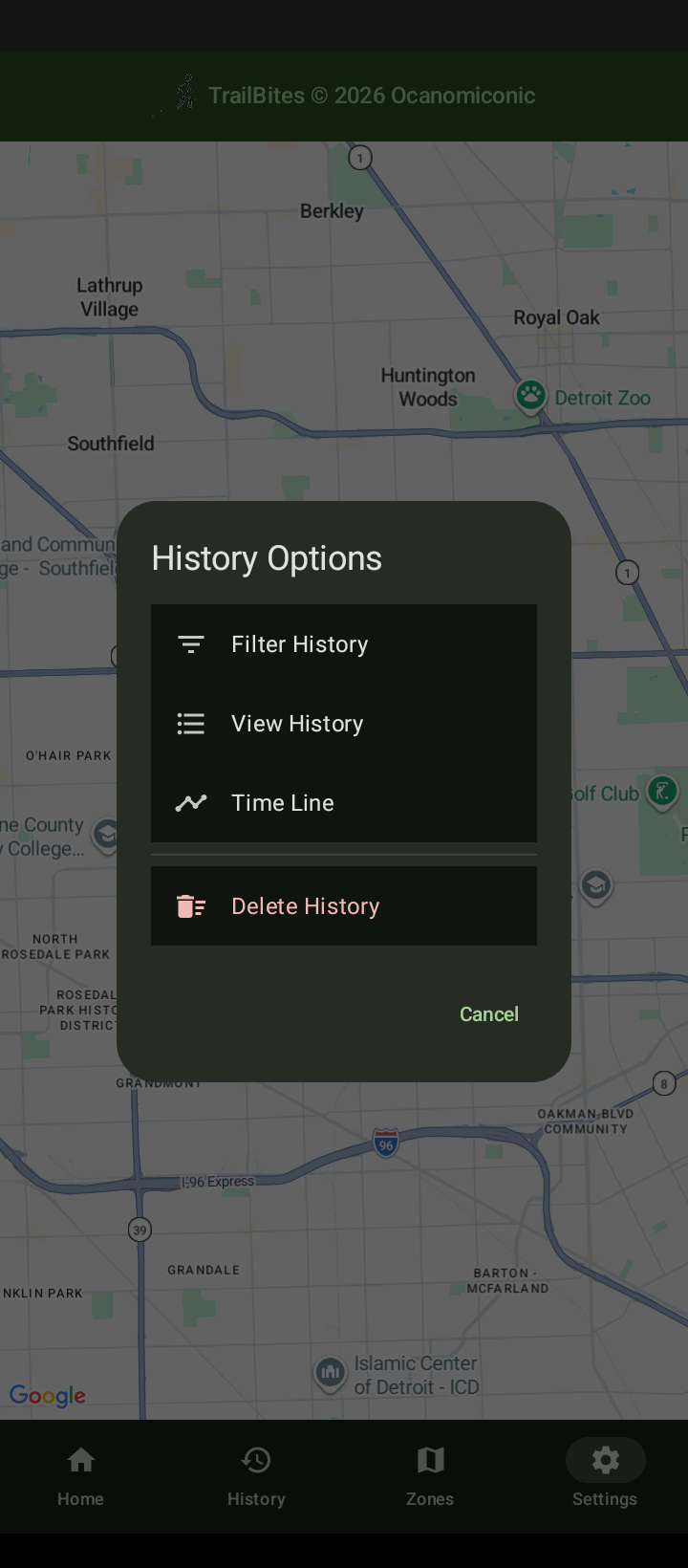
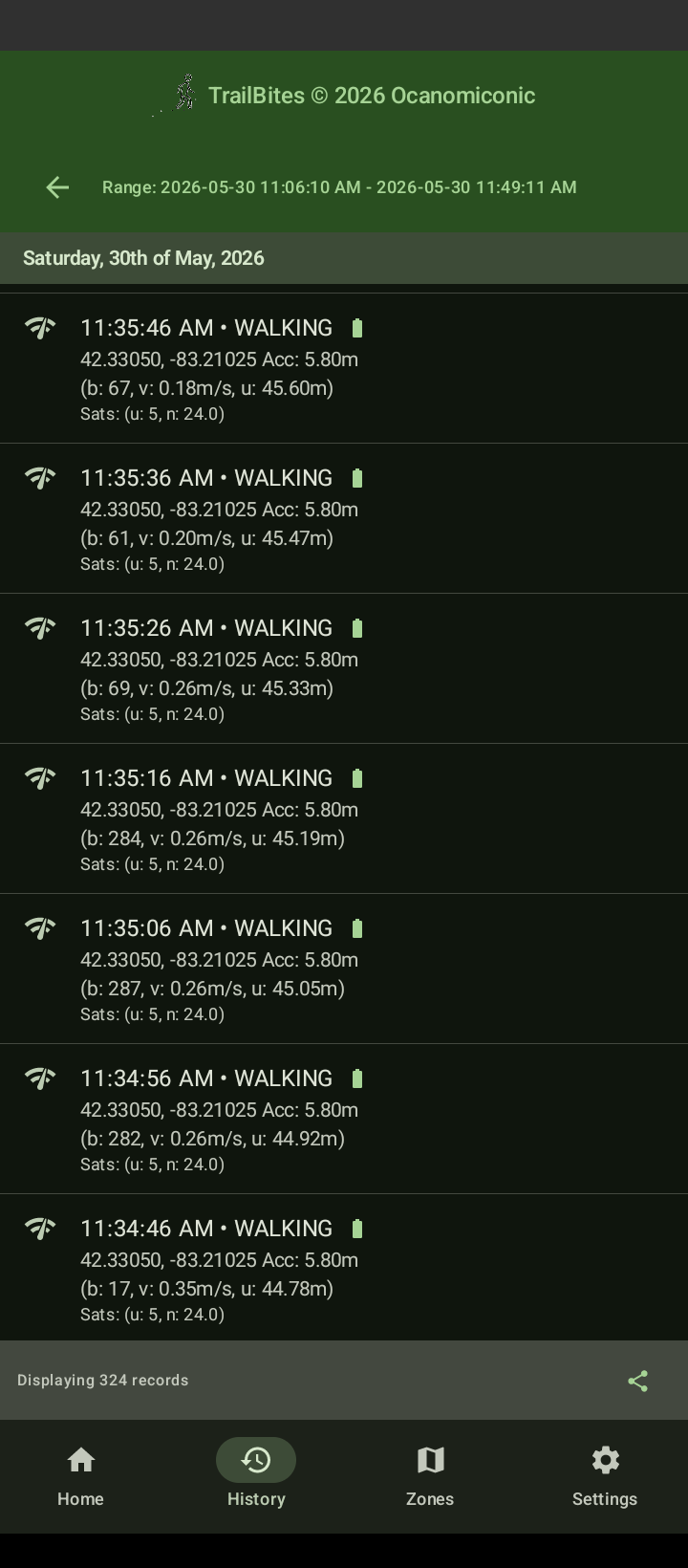
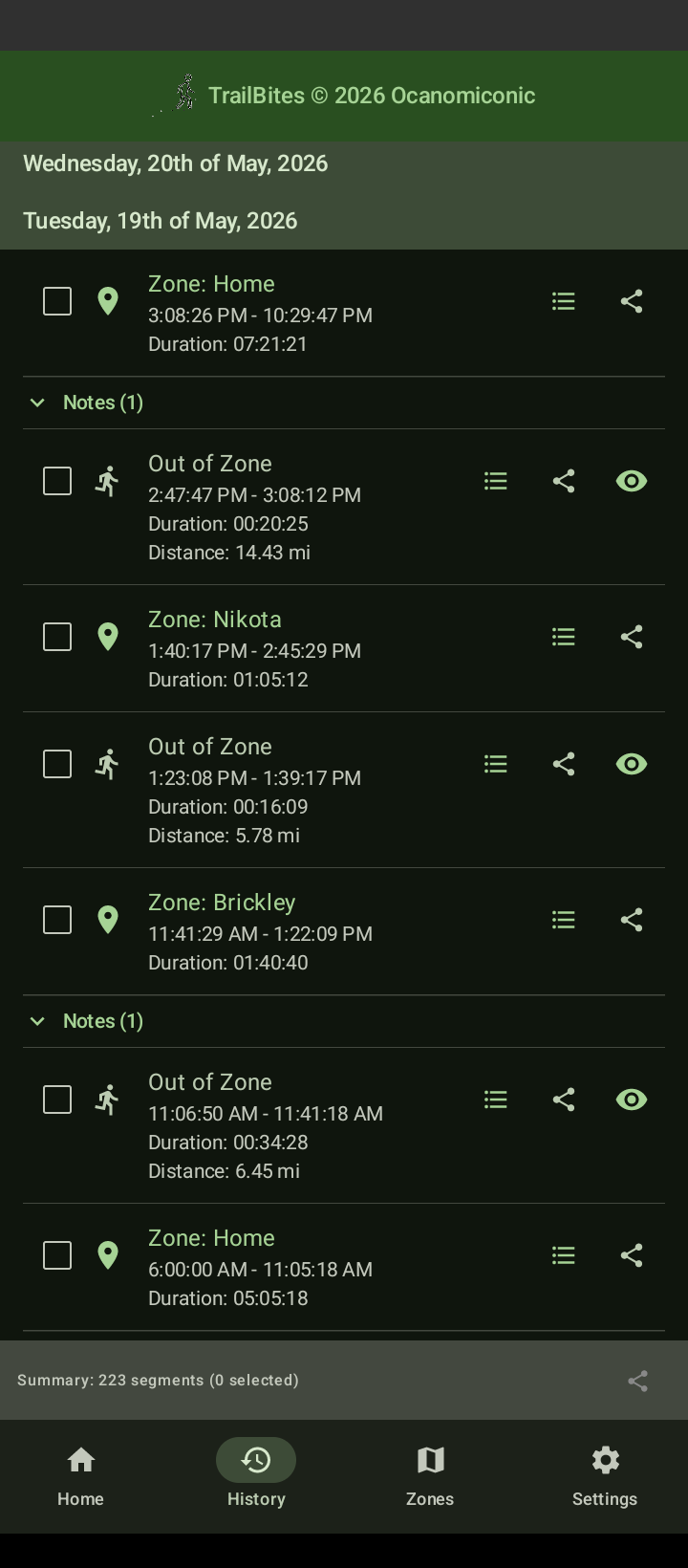
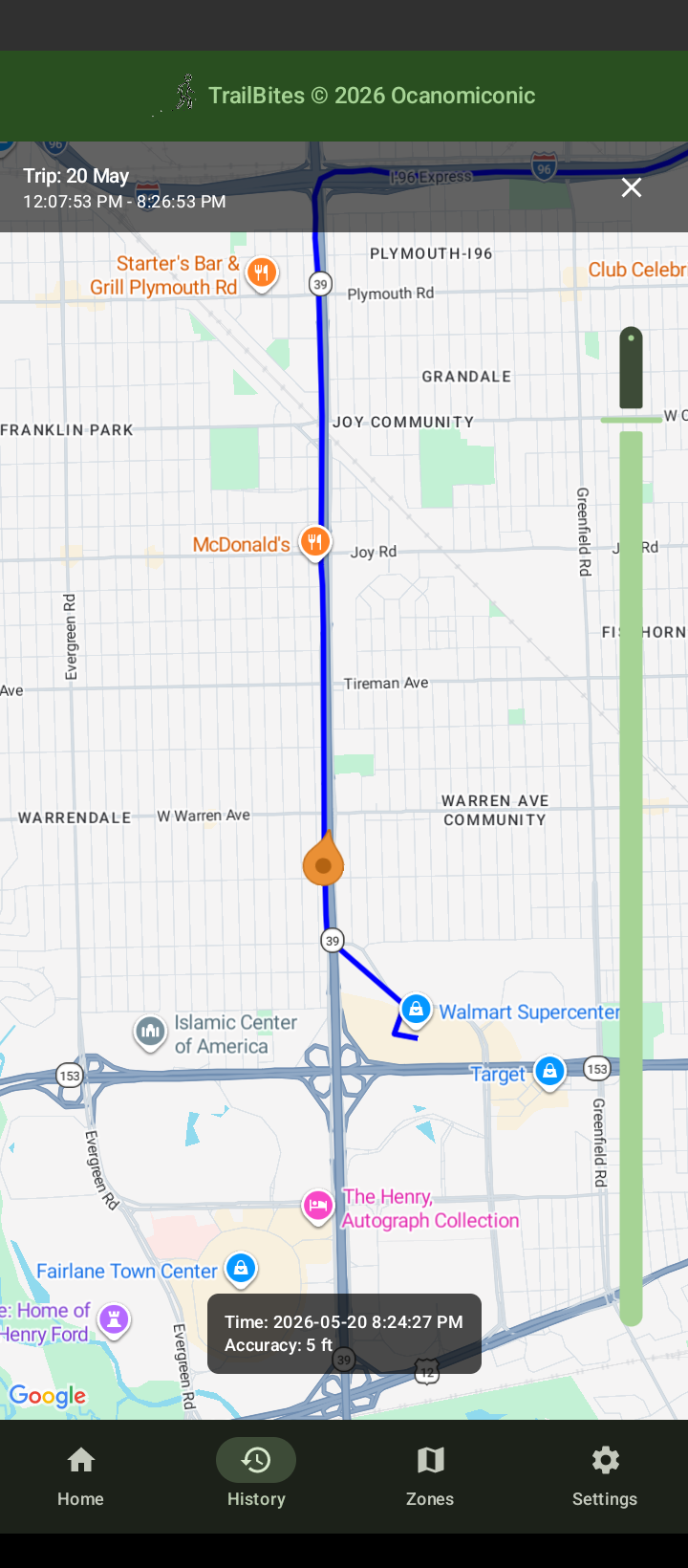
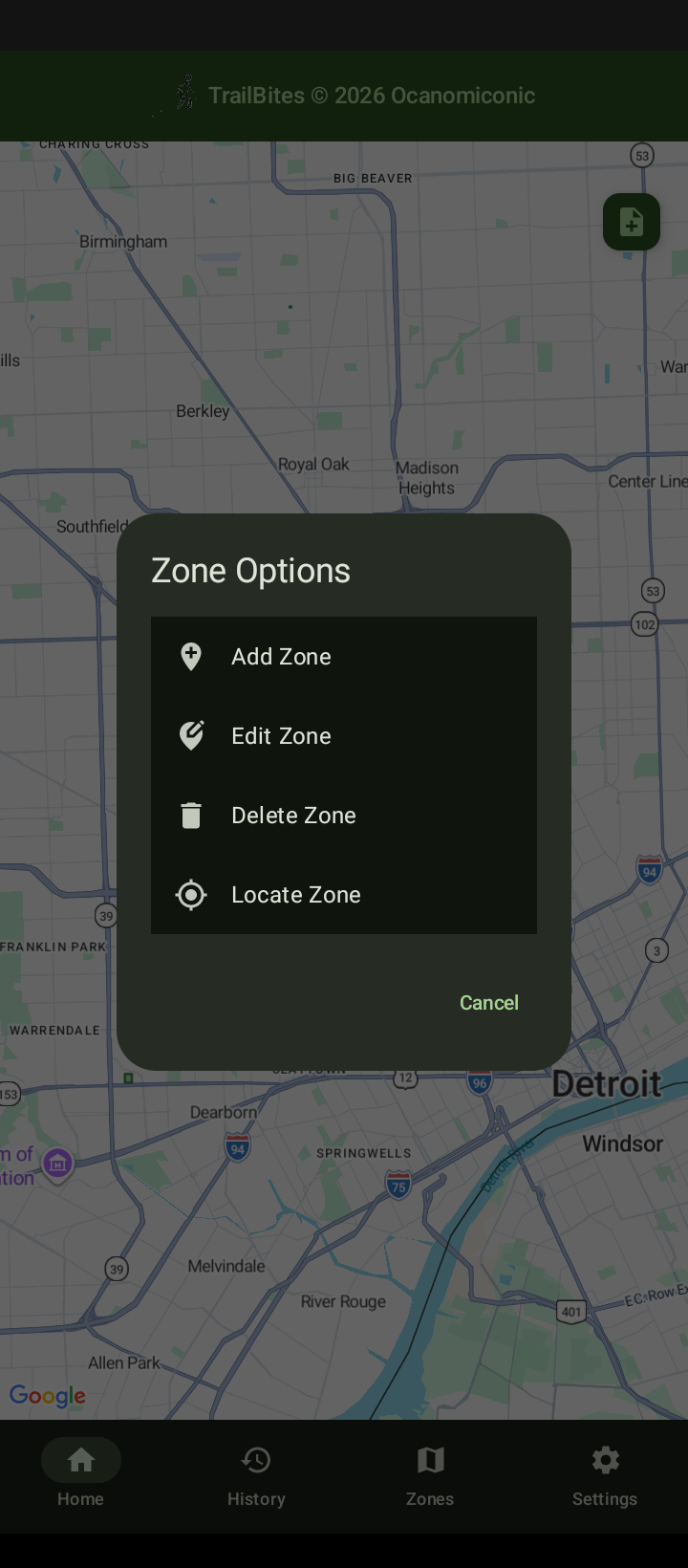
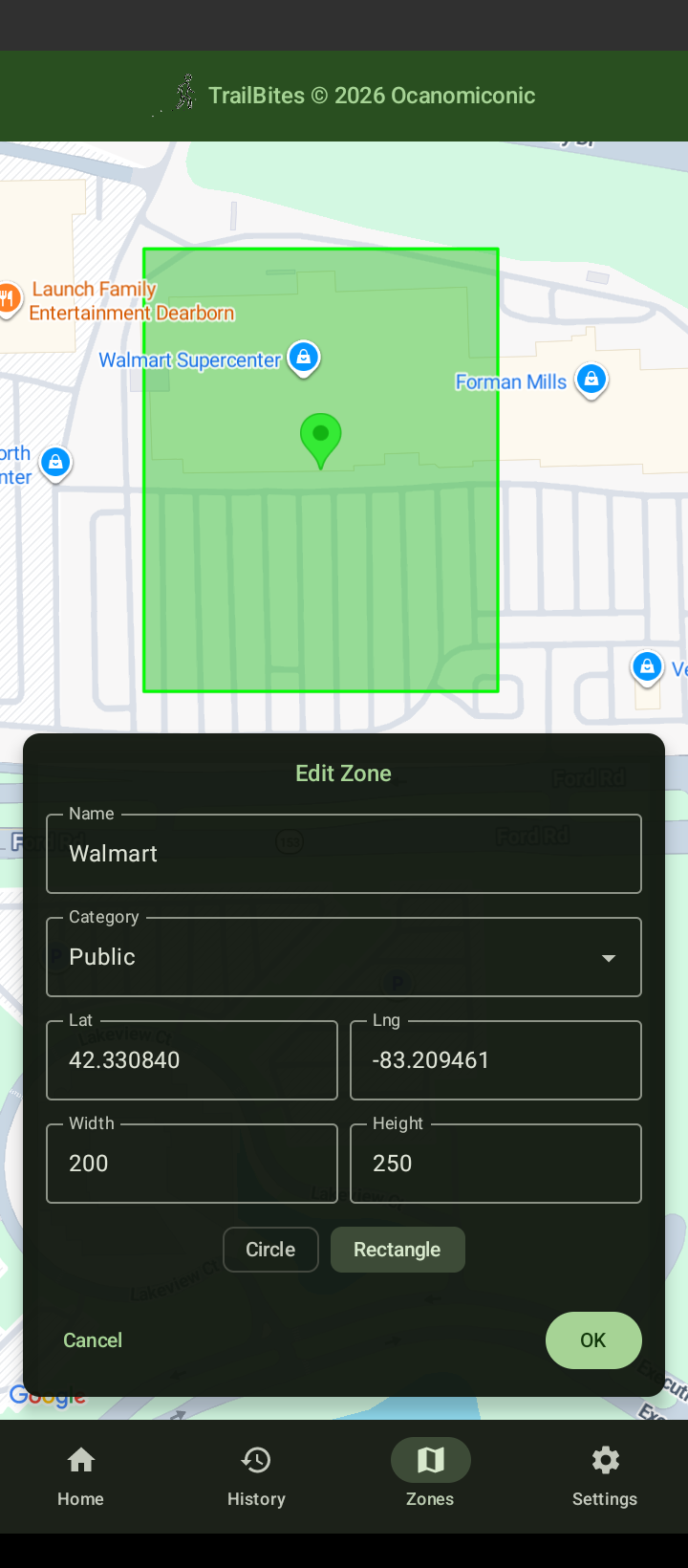
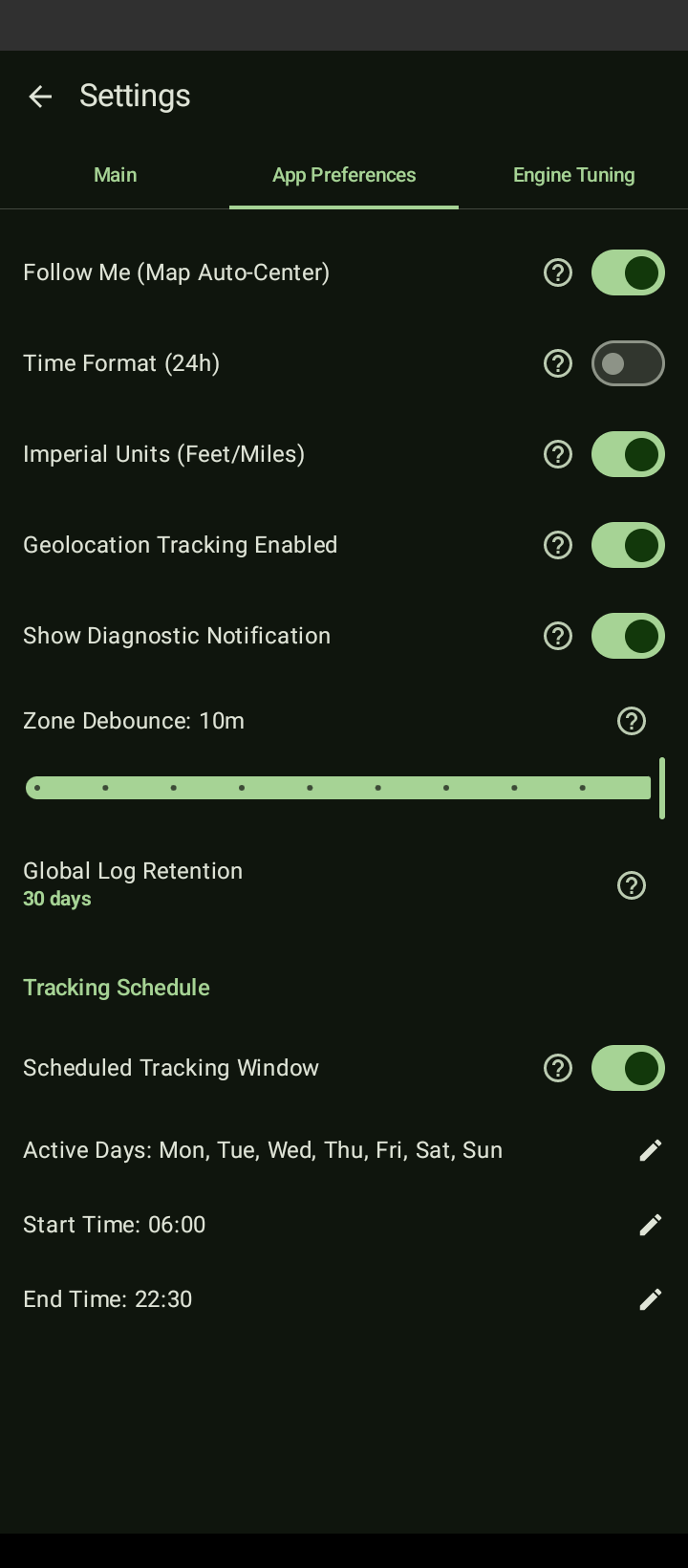
Core Architecture
TrailBites is a modern Kotlin-based Android application utilizing Jet Compose for its UI. No bloated dependencies, shady 3rd party libraries, or unnecessary features.
Local Persistence & Background Resilience
The system utilizes a Sticky Foreground Service running natively on Android to guarantee location capture and persistence even without the app running. Location metrics are secured inside a local, fully encrypted SQLite/ROOM database utilizing the following strict event schema:
data class UnifiedLocationEntry(
                        val id: Long, // raw timestamp
                        val timestamp: String, // UTC Date/Time String
                        val latitude: Double,
                        val longitude: Double,
                        val accuracy: Float, // 1-Sigma GNSS accuracy radius
                        val velocity: Float, // GNSS Doppler-shifted speed (m/s)
                        val bearing: Float,
                        val satsUsed: Int, // Satellites used in obtaining fix
                        val avgCn: Float, // Mean Carrier-to-Noise ratio (C/N₀)
                        val confScore: Float, // Arbiter confidence score (0.0 - 1.0)
                        val confRejectReason: String, // Arbiter rejection reason if score is 0.0
                        val isPowered: Boolean, // True = external power, False = battery
                        val activity: Int, // Android DetectedActivity type ID
                        val interval: Long, // Ping interval (ms)
                        val isMock: Boolean, // Mock location flag
                        var appString: String? // Reserved for application metadata
                    )
Feature Manifest
Interactive Map & Navigation
- Follow Me: Real-time map viewport auto-centering driven dynamically by the latest location event.
- Add Note (FAB): Easily save a timestamped note. Utilizes Android's IME - supporting Speech-to-Text note taking. Notes automatically appear in their corresponding Time Line entry.
- 🔒 Secure Lock-Screen Bypass (Opt-In): Enable maximum field efficiency. Utilizes Android OS's Quick Settings to launch the Add Note dialog without unlocking your device. IME allows you to dictate tool runs or receipt totals via built-in speech to text functionality.
[History] Subsystem
- Temporal Filtering: Isolate location tracking data points via granular Start/End date-time parameters. Includes Quick Filter options: Today, This Week, Last Week, Current Month, Last Month and 2 Months Ago.
- Raw Ledger: Comprehensive, chronological display of raw
UnifiedLocationEntriessorted from newest to oldest. - Dynamic Timeline: Generate timelines for given date ranges. The timeline is visually segmented into days, and each day is further divided into the following categories:
- In-Zone: Captures designated Zone Name, Entry/Exit times, and in-zone duration.
- Out-of-Zone (OOZ): Identifies Out of Zone intervals, includes Start/End times, duration, and distance traveled.
- Notes: Notes are automatically associated & displayed with the appropriate timeline entries. Based on Time the notes were created.
- Other Notes: Convenient Entry that pools Notes that fall outside the day's timeline (ie; Off-Hour Notes)
- Time Travel: Renders route data directly onto the Map Canvas using an RDP algorithm and features a playback scroll control. Allowing the display of every Location Entry captured during the trip. Toggle "Suggest Zones" and dwell locations are automatically identified and displayed as gray zones. Long Press a suggested zone, to launch and back-fill the Add Zone editor.
- Access: Review your entire week seamlessly within the app. Because your notes, material runs, and precise mileage intervals are already compiled chronologically, you can fill out timesheets, mileage expense reports, and invoice line items directly from the Time Line screen—no data exports required.
- Sharing: Robust interface supporting instant, text-formatted or CSV data export via native Android Share targets for easy importing.
[Zones] Geofencing
- Dynamic Bounds Creation: Deploy custom operational boundaries instantly centered on current coordinate profiles using either circular (Variable Radius) or rectangular (Width/Height) bounding volumes.
- Retroactive Evaluation: Because the underlying location ledger remains static while timelines and RDP profiles are generate dynamically, you can freely add, resize, delete, or translate zones retroactively without destroying historical telemetry records.
- Canvas Interaction: Long-press a zone element to toggle the collapsed Zone edit mode giving direct access to 90% of the map area, exposing a drag-and-drop anchor for easy zone repositioning. Or Long press anywhere on the map to launch the Add Zone editor back-filled with that exact center latitude and longitude.
[Settings & Engine Tuning]
- App Preferences: Total toggle state authority over Geolocation state, 12/24hr formatting, Imperial metrics, and a tracking schedule configuration interface.
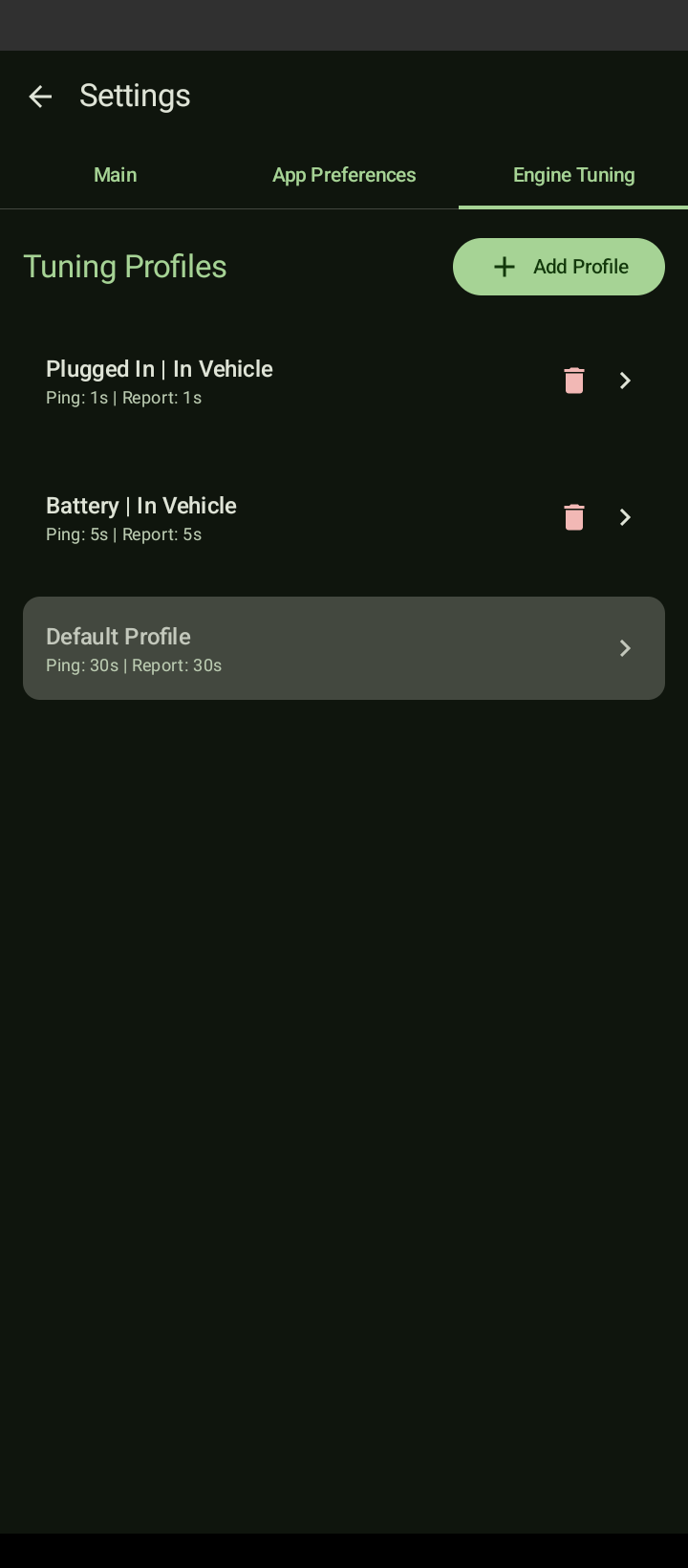
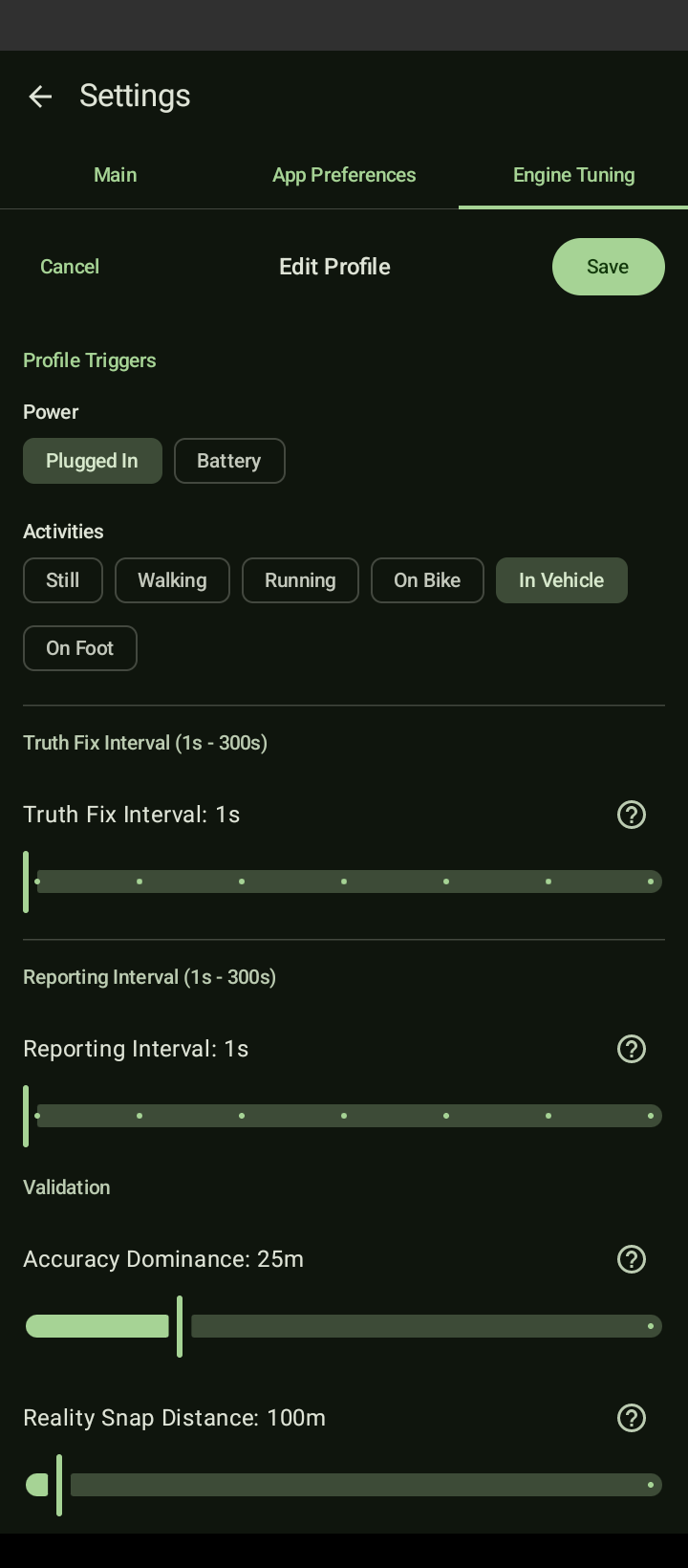
- Adaptive Engine Profiles: Simple orchestration control allowing developers and users to build customized power and activity specific profiles modifying: Truth Fix Intervals- How often the system requests location fixes.
- Activity Aware: Dynamically switches tracking profiles on the fly by combining native device activity detection with current power state. (Plugged In, Battery, Still, Walking, Running, On Bike, In-Vehicle) to aggressively minimize CPU and battery drain.
System Service Notifications
To comply with native hardware tracking constraints, the system exposes a persistent, highly transparent notification view in the devices notification center. It displays the current tracking status [Active | Asleep], the current power & activity state, along with the Active Profile [AP] in use by the engine. In addition to this, it shows the last location received, real-time bearing & velocity as well as Gnss Satellite information. You also have the option to easily select and share App & Tracking Engine logs.